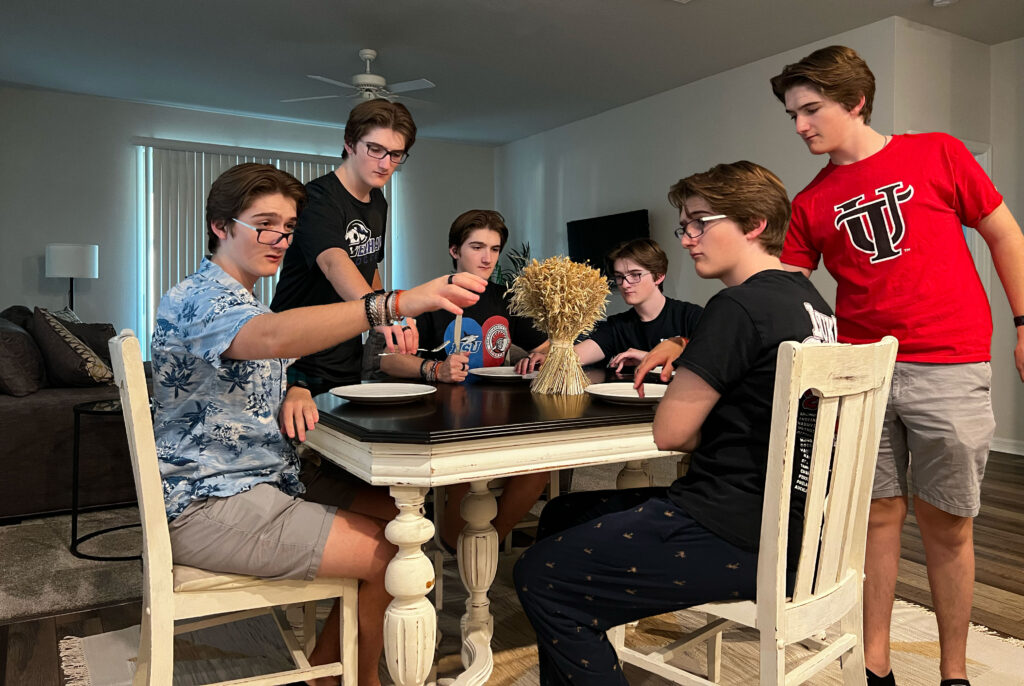
TITLE: Dinner Party
YOUR ROLE: Subject, Photographer, Designer
MEDIA: Multiplicity
SOFTWARE: Adobe Photoshop
SPECIFICATIONS: 4032x2702px
CLASS: FMX 210 Digital Media
PROFESSOR: Santiago Echeverry
SEMESTER / TERM: FA 23
INSTITUTION: University of Tampa
LINK: https://coledrouinfmx210fall2023.blogspot.com
DESCRIPTION: To create this multiplicity project, I set up my phone camera and left it in one spot, from my watch I was able to click the picture. I then pulled all of the images into photoshop with each one as a layer. Then, created masks in order to show each of the characters onto the background image to create a dinner party story.
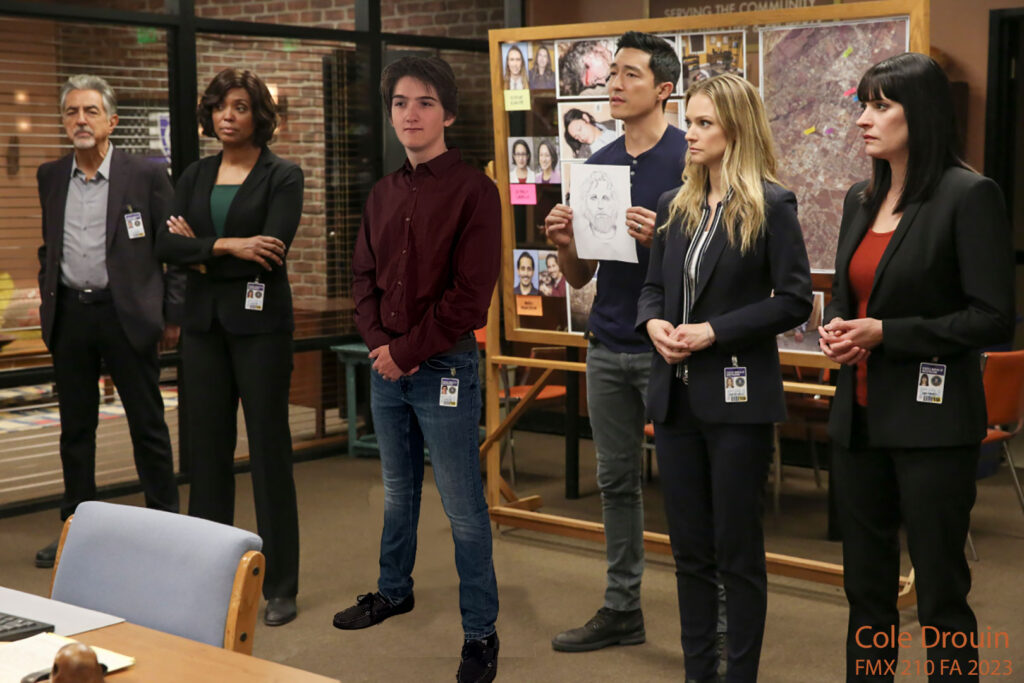
TITLE: Immersed
YOUR ROLE: Subject, Photographer, Designer
MEDIA: Somewhere
SOFTWARE: Adobe Photoshop
SPECIFICATIONS: 1620x1080px
CLASS: FMX 210 Digital Media
PROFESSOR: Santiago Echeverry
SEMESTER / TERM: FA 23
INSTITUTION: University of Tampa
LINK: https://coledrouinfmx210fall2023.blogspot.com
DESCRIPTION: For this assignment, we were asked to find a scene from one of our favorite movies or TV shows and put our self into the scene. We did this through a masking process that allows the layer you wish to be hidden, while the desired layer comes through. In this piece, I was able to put myself into the scene, but I also was able to take another picture of my face and put it on the ID badge that is clipped to my pocket. This is a scene from Criminal Minds.
TITLE: A Brisk Adventure: From Fridge to Glass
YOUR ROLE: Animator
MEDIA: Rotoscope Animation
SOFTWARE: Adobe Photoshop
SPECIFICATIONS: 1280x720px, 10fps, H.264
DURATION: 01’15”
CLASS: FMX 210 Digital Media
PROFESSOR: Santiago Echeverría
SEMESTER / TERM: SP 25
INSTITUTION: University of Tampa
LINK: https://youtu.be/phspZZp6Aj0
DESCRIPTION: To create this animation, we were taught how to turn a video into individual frames within Adobe Photoshop, then asked to apply our knew knowledge and create our own animation. Whether it was video that we animated or cartoons and graphics that we made ourselves, the only requirement was that we needed 10 seconds (100 frames) of rotoscope. Mine contains 114 frames. The rest, I took the video and animated aspects of it and tried to show off tools in Photoshop like the remove background feature, the brush tool, the use of layers, as well as being able to use Adobe Firefly and import the AI created piece. The next step was to create the audio for our animation.
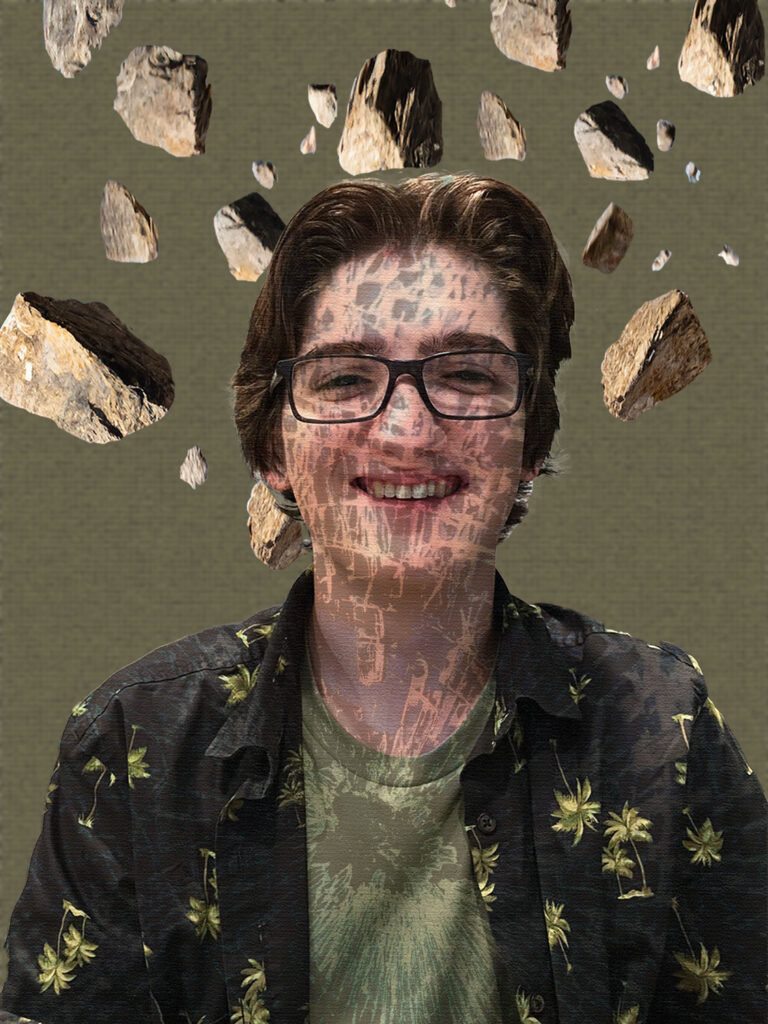
TITLE: Autoscopy
YOUR ROLE: Creator
MEDIA: Autoscopy
SOFTWARE: Adobe Photoshop
SPECIFICATIONS: 1500x2000px
CLASS: FMX 210 Digital Media
PROFESSOR: Santiago Echeverry
SEMESTER / TERM: FA 23
INSTITUTION: University of Tampa
LINK: https://coledrouinfmx210fall2023.blogspot.com
DESCRIPTION: We were asked to create a piece about self expression. The goal was to create the feelings of internal stress that I can sometimes feel especially with the school work as we near the end of the semester. The rocks represent the school work, the stressors. The broken glass look inside me is “stress cracked” glass to represent the stress from the school work.
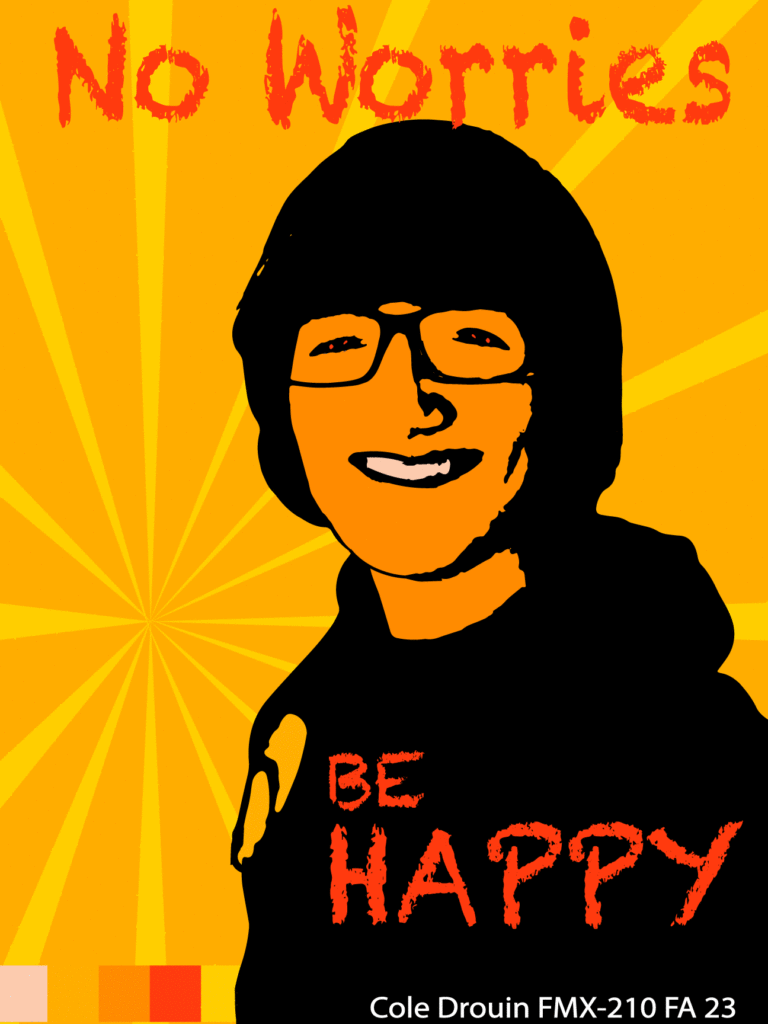
TITLE: Analogous
YOUR ROLE: Creator
MEDIA: Self Portrait Poster
SOFTWARE: Adobe Illustrator
SPECIFICATIONS: 1296x1728px
CLASS: FMX 210 Digital Media
PROFESSOR: Santiago Echeverry
SEMESTER / TERM: FA 23
INSTITUTION: University of Tampa
LINK: https://coledrouinfmx210fall2023.blogspot.com
DESCRIPTION: Using 3 types of different color palettes (Monochromatic, ANALOGOUS, and Triad) I created these vector self portrait posters. In this process, I took a selfie of myself and turned it into a vector image which allowed me to use the blob brush and color in the transparent aspects, leaving a black silhouette of myself. To finish out this project, I then took a completely different picture of me and did the same thing, using the same process, but I could choose any color palette that I wanted.
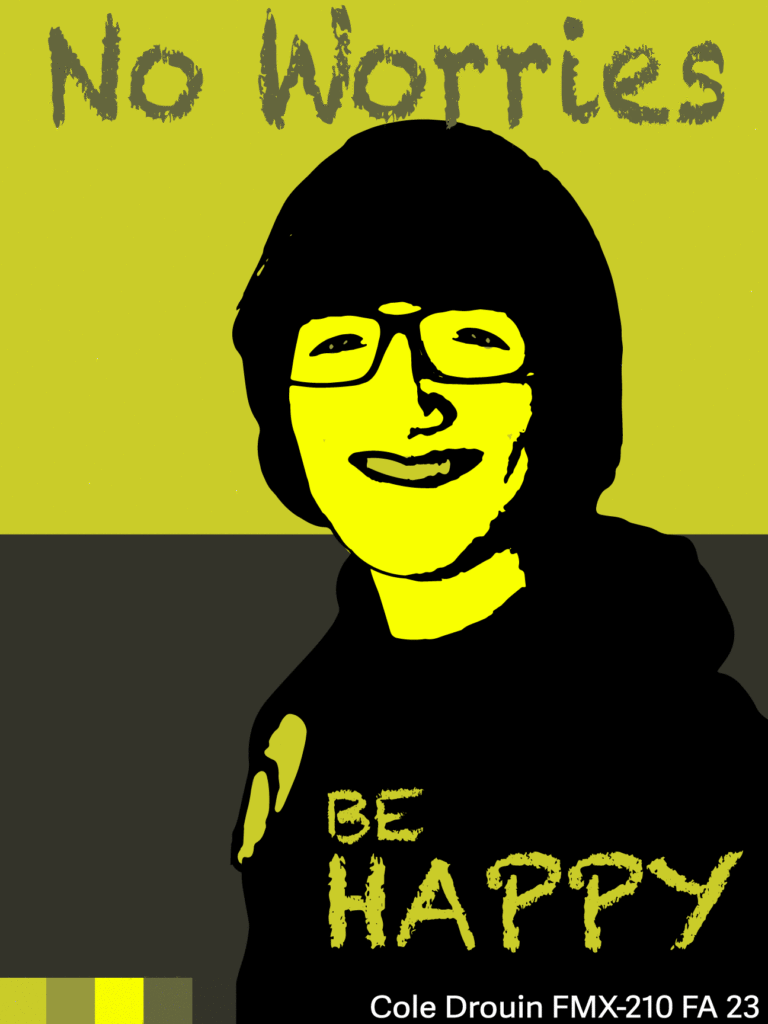
TITLE: Monochromatic
YOUR ROLE: Creator
MEDIA: Self Portrait Poster
SOFTWARE: Adobe Illustrator
SPECIFICATIONS: 1296x1728px
CLASS: FMX 210 Digital Media
PROFESSOR: Santiago Echeverry
SEMESTER / TERM: FA 23
INSTITUTION: University of Tampa
LINK: https://coledrouinfmx210fall2023.blogspot.com
DESCRIPTION: Using 3 types of different color palettes (MONOCHROMATIC, Analogous, and Triad) I created these vector self portrait posters. In this process, I took a selfie of myself and turned it into a vector image which allowed me to use the blob brush and color in the transparent aspects, leaving a black silhouette of myself. To finish out this project, I then took a completely different picture of me and did the same thing, using the same process, but I could choose any color palette that I wanted.
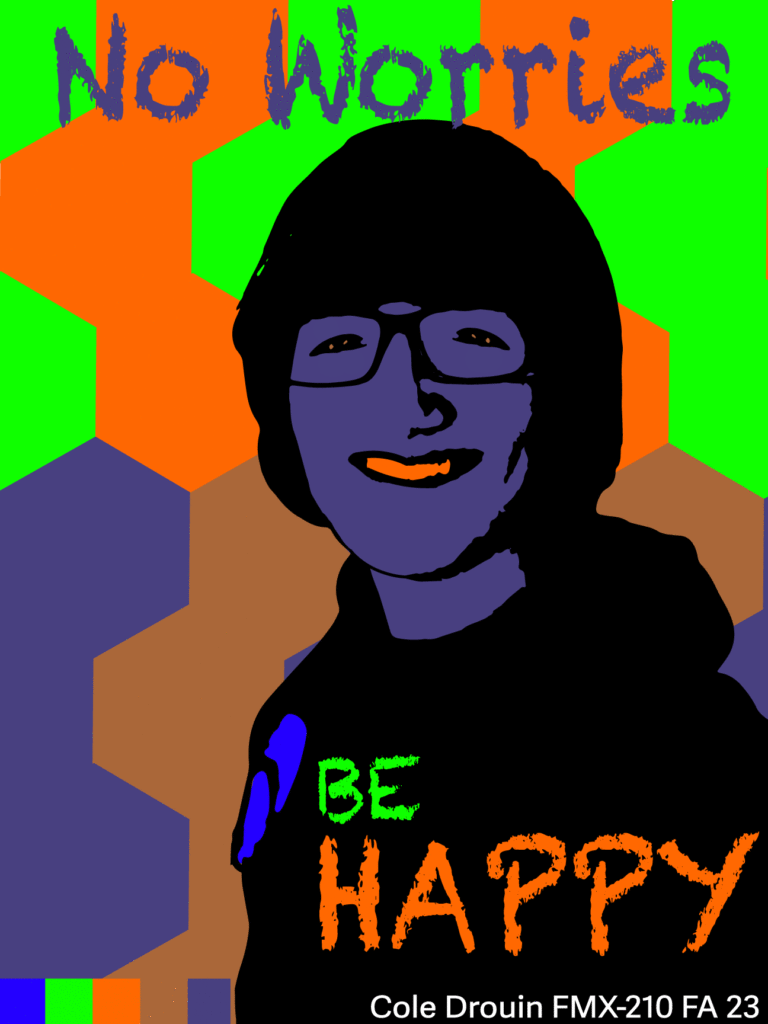
TITLE: Triad
YOUR ROLE: Creator
MEDIA: Self Portrait Poster
SOFTWARE: Adobe Illustrator
SPECIFICATIONS: 1296x1728px
CLASS: FMX 210 Digital Media
PROFESSOR: Santiago Echeverry
SEMESTER / TERM: FA 23
INSTITUTION: University of Tampa
LINK: https://coledrouinfmx210fall2023.blogspot.com
DESCRIPTION: Using 3 types of different color palettes (Monochromatic, Analogous, and TRIAD) I created these vector self portrait posters. In this process, I took a selfie of myself and turned it into a vector image which allowed me to use the blob brush and color in the transparent aspects, leaving a black silhouette of myself. To finish out this project, I then took a completely different picture of me and did the same thing, using the same process, but I could choose any color palette that I wanted.
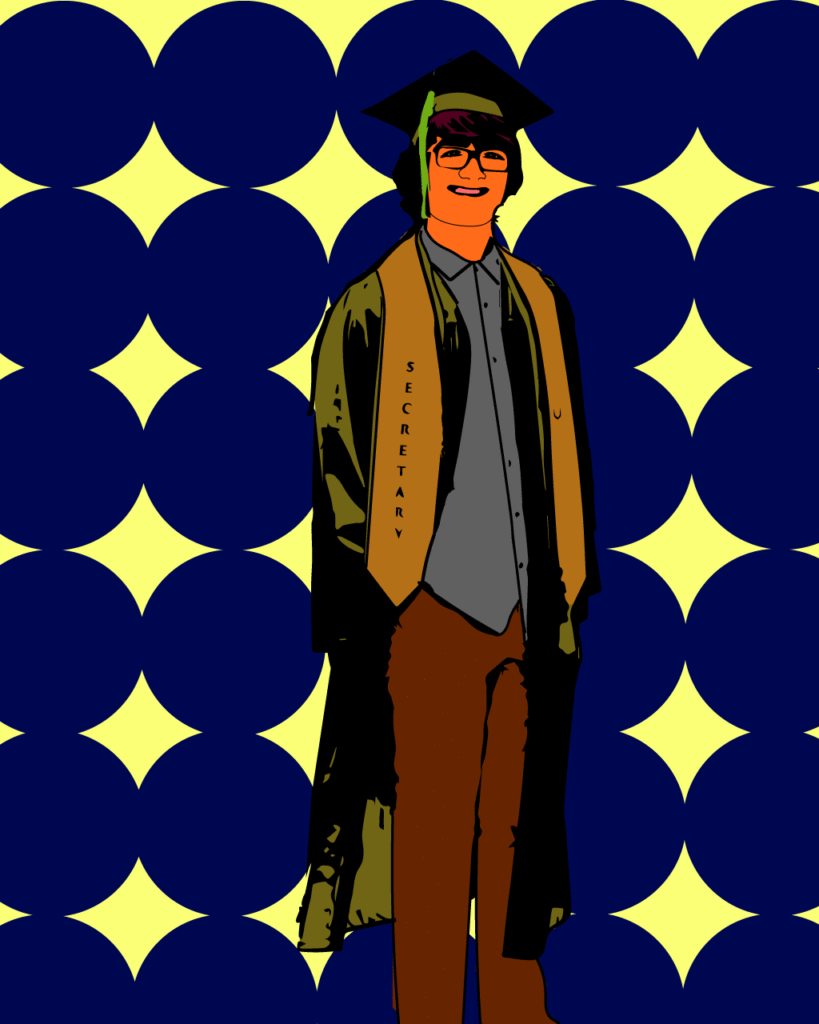
TITLE: Personal Poster
YOUR ROLE: Creator
MEDIA: Self Portrait Poster
SOFTWARE: Adobe Illustrator
SPECIFICATIONS: 1296x1728px
CLASS: FMX 210 Digital Media
PROFESSOR: Santiago Echeverry
SEMESTER / TERM: FA 23
INSTITUTION: University of Tampa
LINK: https://coledrouinfmx210fall2023.blogspot.com
DESCRIPTION: Using 3 types of different color palettes (Monochromatic, Analogous, and Triad) I created these vector self portrait posters. In this process, I took a selfie of myself and turned it into a vector image which allowed me to use the blob brush and color in the transparent aspects, leaving a black silhouette of myself. To finish out this project, I then took a completely different picture of me and did the same thing, using the same process, but I could choose any color palette that I wanted.
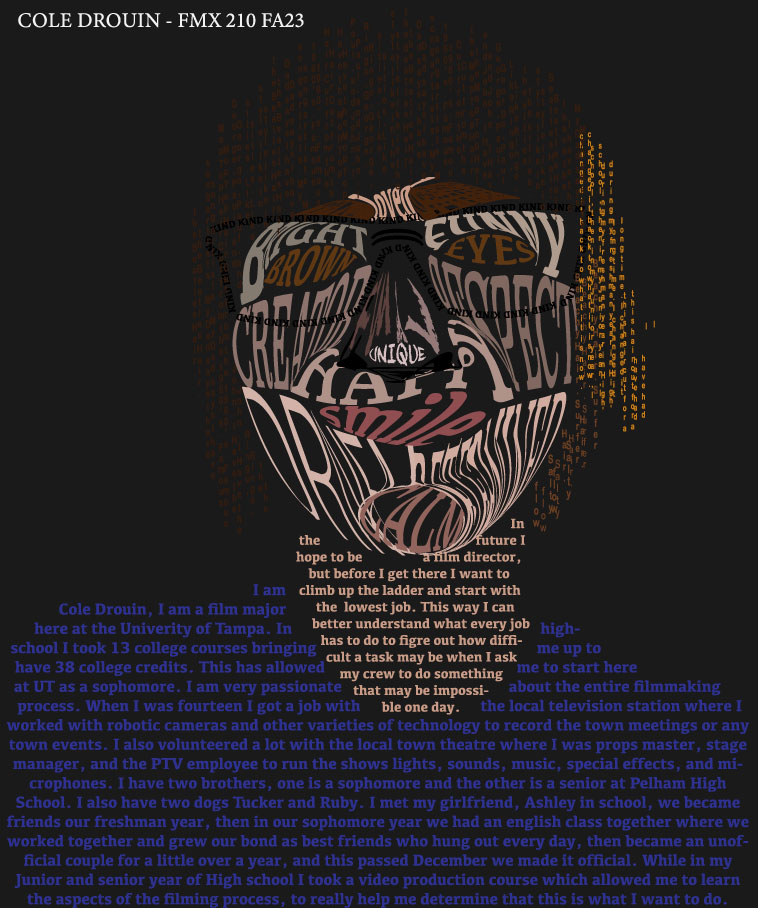
TITLE: Calligram
YOUR ROLE: Creator
MEDIA: Calligram
SOFTWARE: Adobe Illustrator
SPECIFICATIONS: 758x908px
CLASS: FMX 210 Digital Media
PROFESSOR: Santiago Echeverry
SEMESTER / TERM: FA 23
INSTITUTION: University of Tampa
LINK: https://coledrouinfmx210fall2023.blogspot.com
DESCRIPTION: To start this project, we had to take a selfie of us and map out the areas that make up the parts of the face or body using the pen tools. Then we learned how to type fill and make the words fit into those shapes to make up the image in a typographical way.
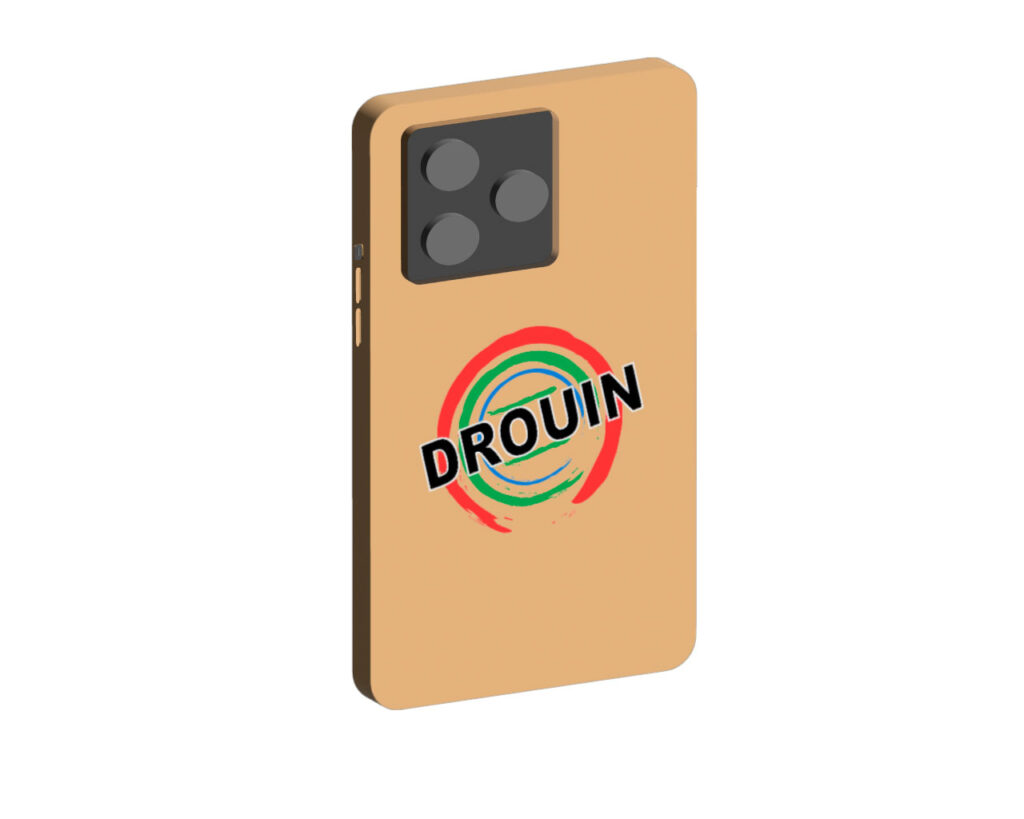
TITLE: Branded Phone Case
YOUR ROLE: Creator
MEDIA: Logo on 3D Objects
SOFTWARE: Adobe Illustrator
SPECIFICATIONS: 1280x1024px
CLASS: FMX 210 Digital Media
PROFESSOR: Santiago Echeverry
SEMESTER / TERM: FA 23
INSTITUTION: University of Tampa
LINK: https://coledrouinfmx210fall2023.blogspot.com
DESCRIPTION: In exploring the 3D tools in adobe illustrator we were able to create these 3D-everyday use items. Once we had those shapes all made, we were able to put our logo that we previously designed on it to make branded objects.

TITLE: Personal Logo
YOUR ROLE: Creator
MEDIA: Logo
SOFTWARE: Adobe Illustrator
SPECIFICATIONS: 1280x1024px
CLASS: FMX 210 Digital Media
PROFESSOR: Santiago Echeverry
SEMESTER / TERM: FA 23
INSTITUTION: University of Tampa
LINK: https://coledrouinfmx210fall2023.blogspot.com
DESCRIPTION: Using Adobe Illustrator, we created a logo that was versatile for our “business” to advertise ourselves and to put on different objects. We were tasked with creating it in all white, black, and color. To start, we typed words that discribed ourselve into Adobe Firefly to get ideas, from there, we created a logo design.
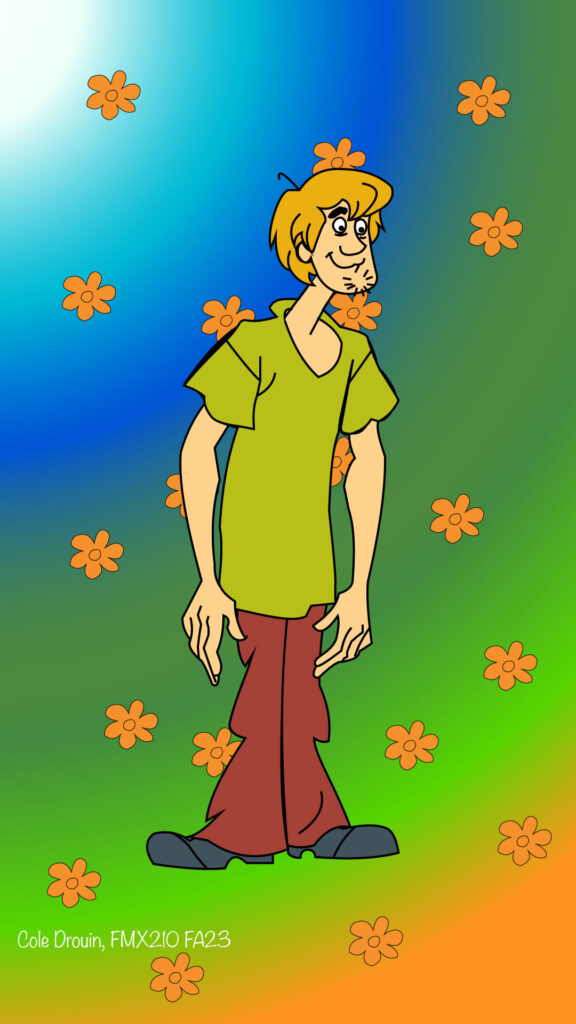
TITLE: Recreation of Shaggy Rogers
YOUR ROLE: Creator
MEDIA: Pen Tool
SOFTWARE: Adobe Illustrator
SPECIFICATIONS: 1080x1920px
CLASS: FMX 210 Digital Media
PROFESSOR: Santiago Echeverry
SEMESTER / TERM: FA 23
INSTITUTION: University of Tampa
LINK: https://coledrouinfmx210fall2023.blogspot.com
DESCRIPTION: To help practice with the pen tool, we were asked to pick a cartoon character and recreate it as a replica of the piece we saw. As well as recreating shaggy, I was able to create the background that fits the style of the character based on the colors and flowers on the Mystery Machine.
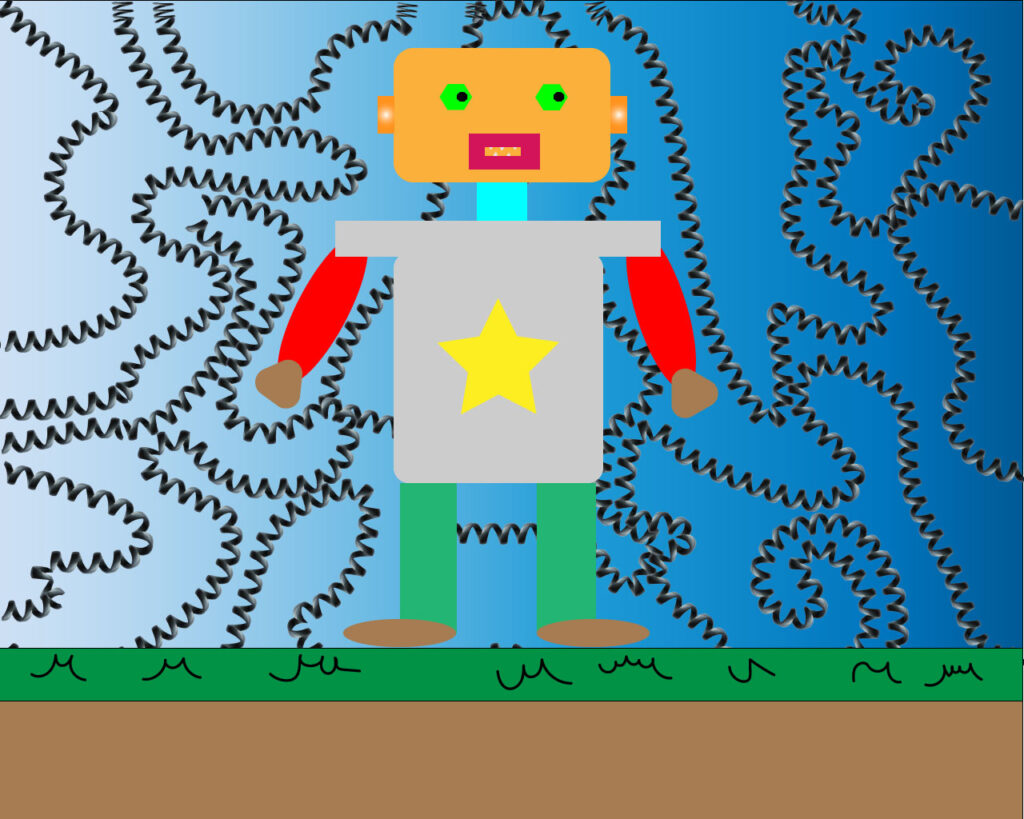
TITLE: Robot Playground
YOUR ROLE: Creator
MEDIA: Testing
SOFTWARE: Adobe Illustrator
SPECIFICATIONS: 1280x1024px
CLASS: FMX 210 Digital Media
PROFESSOR: Santiago Echeverry
SEMESTER / TERM: FA 23
INSTITUTION: University of Tampa
LINK: https://coledrouinfmx210fall2023.blogspot.com
DESCRIPTION: After watching the videos provided to the class on the exploration of shapes and tools in Illustartor. I was able to create the robot with the shape tool as well at the lines tools.
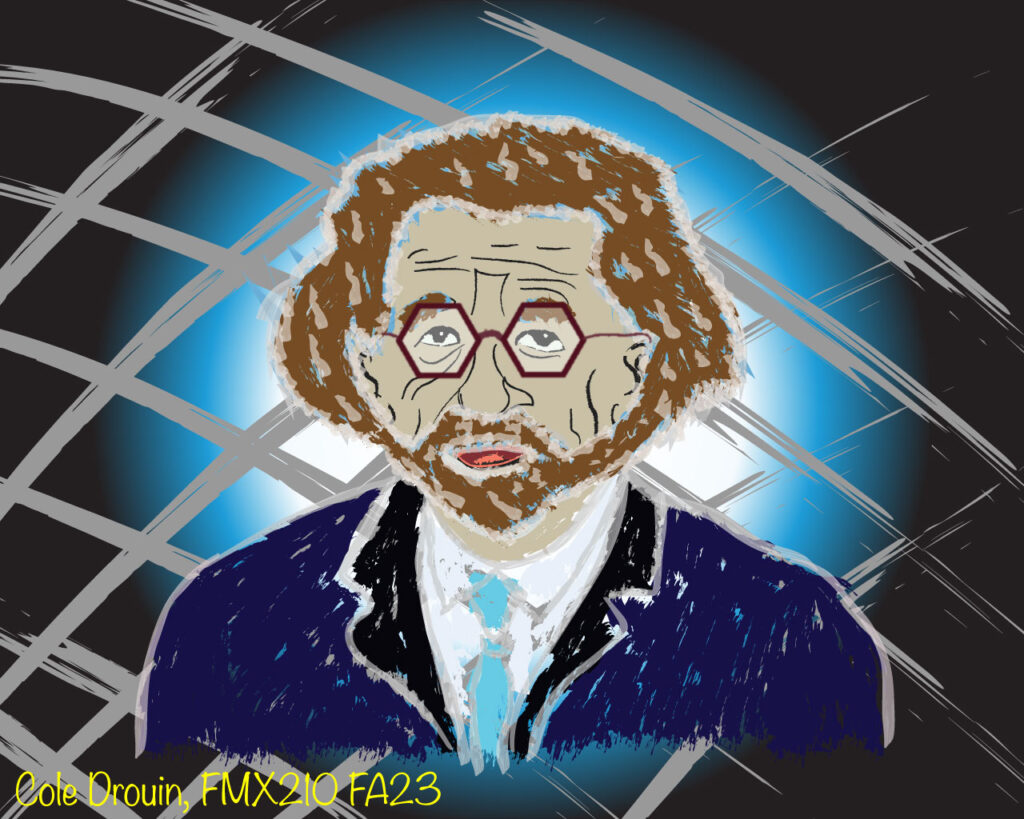
TITLE: A Young Smart Guy
YOUR ROLE: Creator
MEDIA: Brush Exploration
SOFTWARE: Adobe Illustrator
SPECIFICATIONS: 1280x1024px
CLASS: FMX 210 Digital Media
PROFESSOR: Santiago Echeverry
SEMESTER / TERM: FA 23
INSTITUTION: University of Tampa
LINK: https://coledrouinfmx210fall2023.blogspot.com
DESCRIPTION: While getting to know illustrator, we were tasked with exploring the tools [and brushes] to create or recreate a picture of a person or character. This is a picture that I creates with the different brush strokes to create this character, however, with the use of the polygon tool, I was able to design his glasses. I created the background with a rectangle that I applied the gradient too, then applied the brush stroke tool again over it to get the checkerboard look.
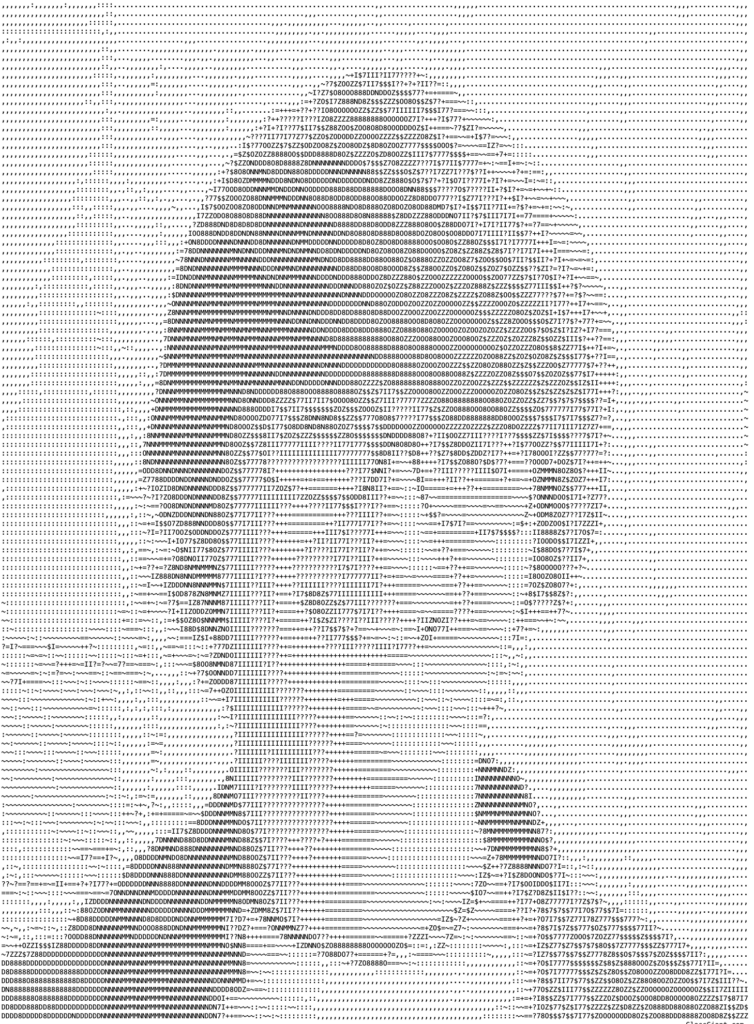
TITLE: Ascii Portrait
YOUR ROLE: Creator
MEDIA: Ascii Art
SOFTWARE: Ascii Art Generator
SPECIFICATIONS: 1458x1980px
CLASS: FMX 210 Digital Media
PROFESSOR: Santiago Echeverry
SEMESTER / TERM: FA 23
INSTITUTION: University of Tampa
LINK: https://coledrouinfmx210fall2023.blogspot.com
DESCRIPTION: To create this piece, I was tasked with uploading an image of myself to help generate this Ascii portrait of myself.